Can you print edge to edge (full bleed)?
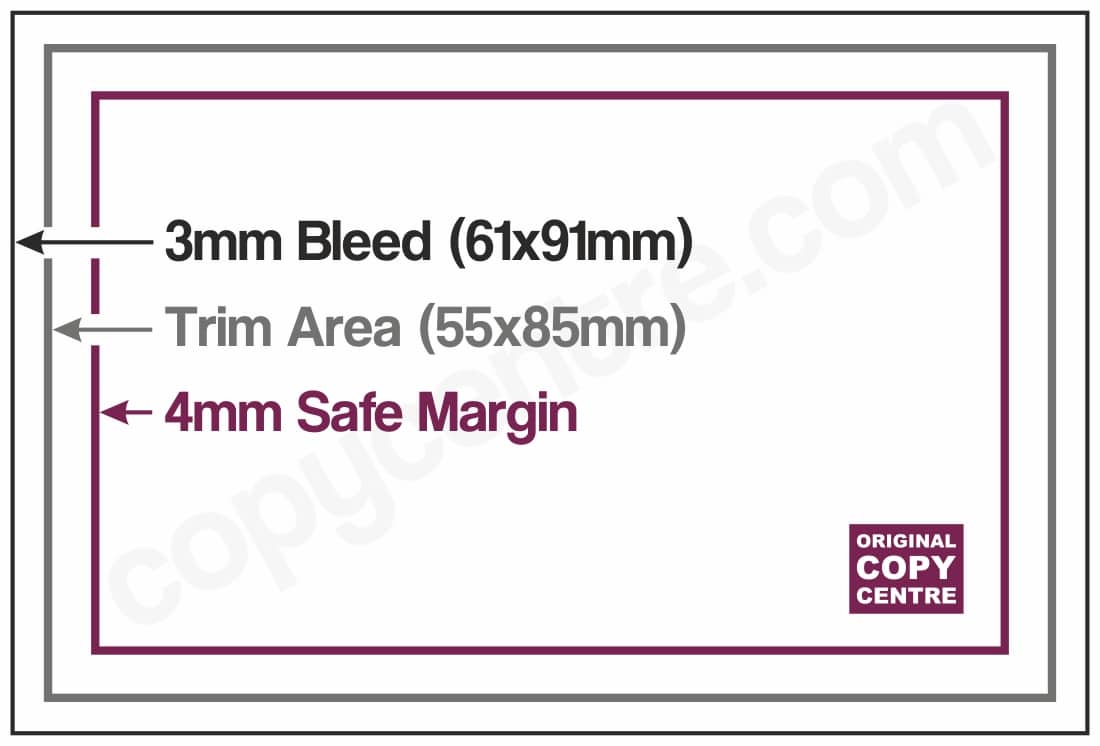
Yes, absolutely. To achieve a borderless print, your file must be set up with 3mm bleed and crop marks.
What does this mean?
-
Bleed: You must extend your background image/colour 3mm beyond the edge of the finished page size. This extra bit is cut off after printing to ensure the ink goes right to the edge.
-
Safe Zone: Please keep all important text at least 4mm away from the edge to ensure it doesn’t get chopped off during trimming.
Please save your file as a “Press Quality” PDF or PDF/X-1a. If you are struggling with the settings, don’t worry—just email us your file and we will try to help.
If you want a standard 55mm x 85mm card, your design file (including bleed) should measure 61mm x 91mm (adding 3mm to all four sides):